

Photo editing tools are vital for enhancing images, from basic adjustments to advanced retouching. This review focuses on five essential options, assessed on usability, features, and versatility. Chosen from expert recommendations and user acclaim, these suit amateurs and professionals alike.
1. Adobe Lightroom: Professional Grade Editor
Adobe Lightroom offers selective edits, presets, and AI tools for color grading and healing, with cloud sync for multi-device work.
Review Score: 4.8/5 Intuitive for raw processing and batch edits.
Why Essential: Delivers pro-level results with seamless integration.
Download: Google Play Store

2. Snapseed: Versatile Free Option
Snapseed provides precise controls like curves, brushes, and healing, all ad-free with non-destructive editing.
Review Score: 4.7/5 Powerful yet simple for quick enhancements.
Why Essential: Offers advanced features without cost barriers.
Download: Google Play Store
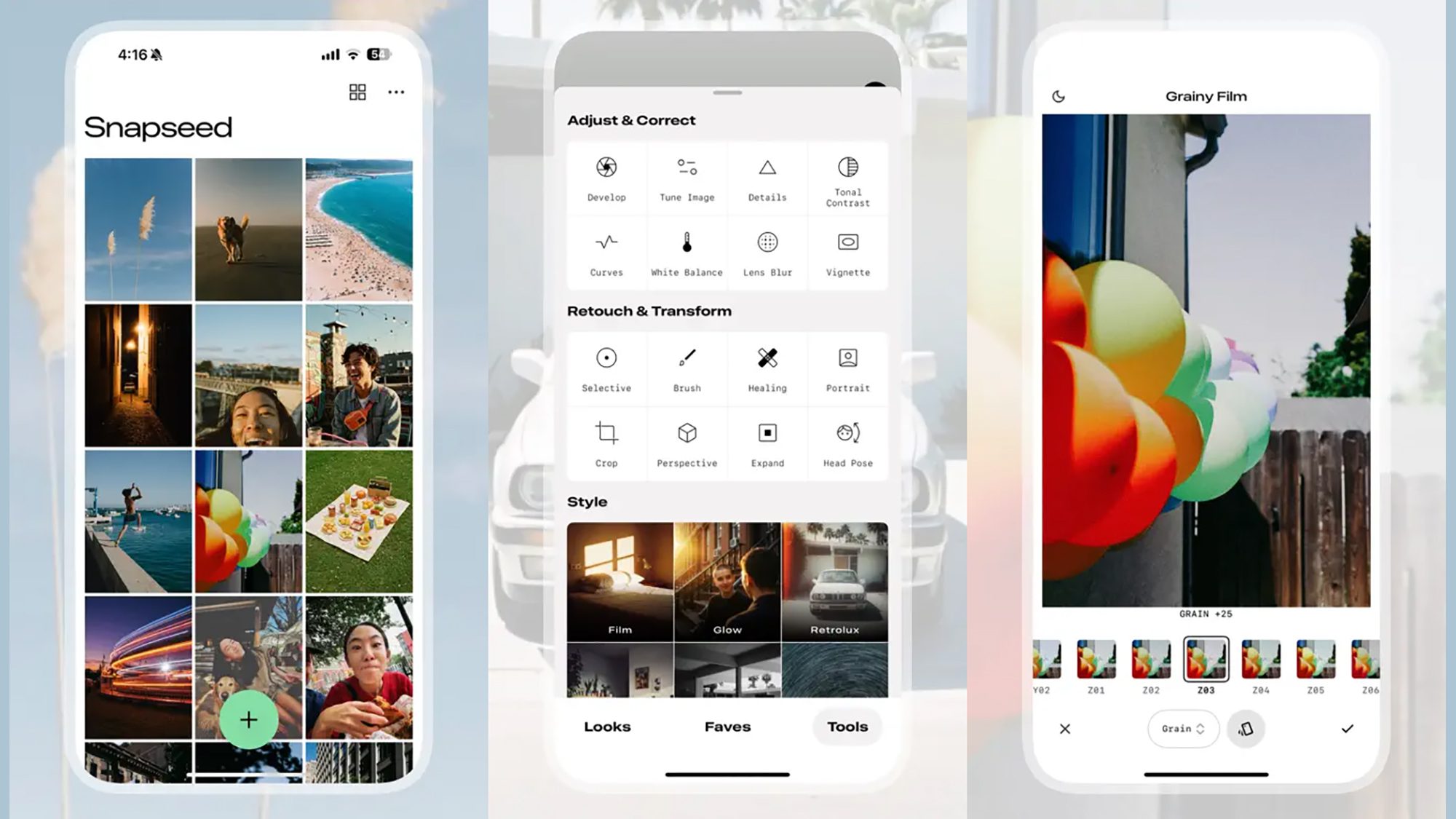
Google’s forgotten iPhone photo editor just got a huge update …
3. PicsArt: Creative Suite
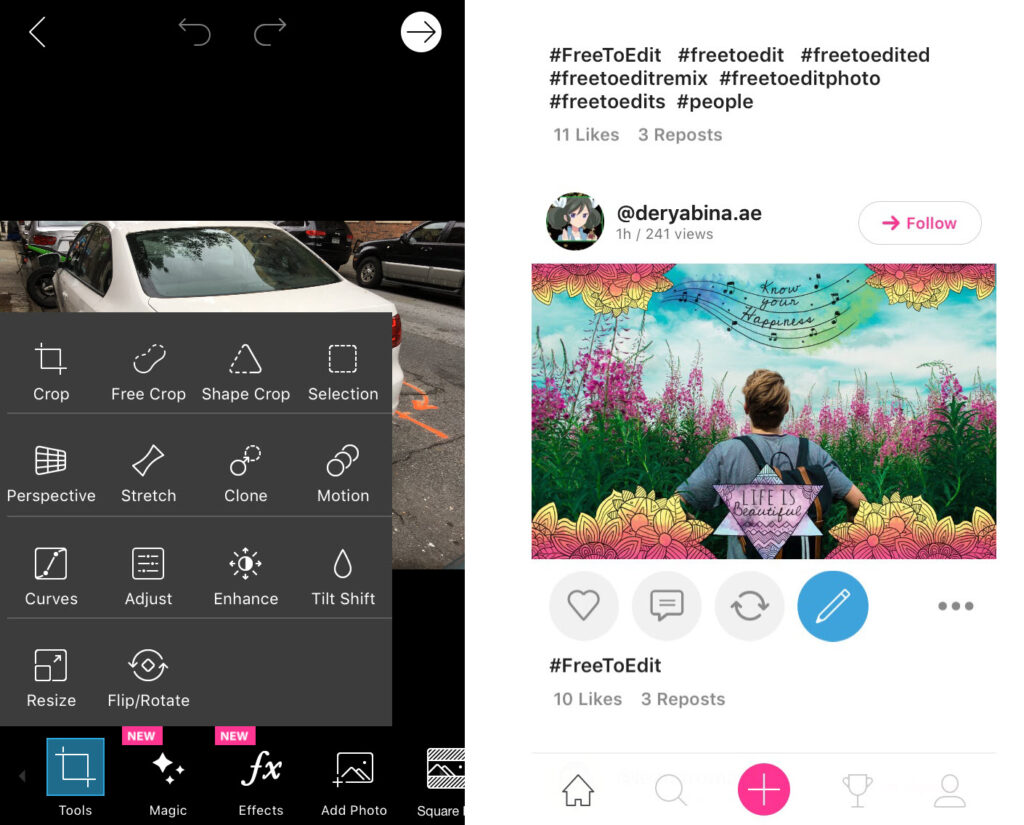
PicsArt includes AI effects, stickers, and collage tools, supporting layers and community remixes.
Review Score: 4.6/5 Fun for artistic creations and social sharing.
Why Essential: Combines editing with creative elements.
Download: Google Play Store
4. VSCO: Aesthetic Filter Hub
VSCO features film-inspired presets, advanced adjustments, and a social platform for inspiration.
Review Score: 4.5/5 Minimalist interface for stylish edits.
Why Essential: Focuses on artistic expression and community.
Download: Google Play Store

5. Photoshop Express: Quick Adobe Fixes
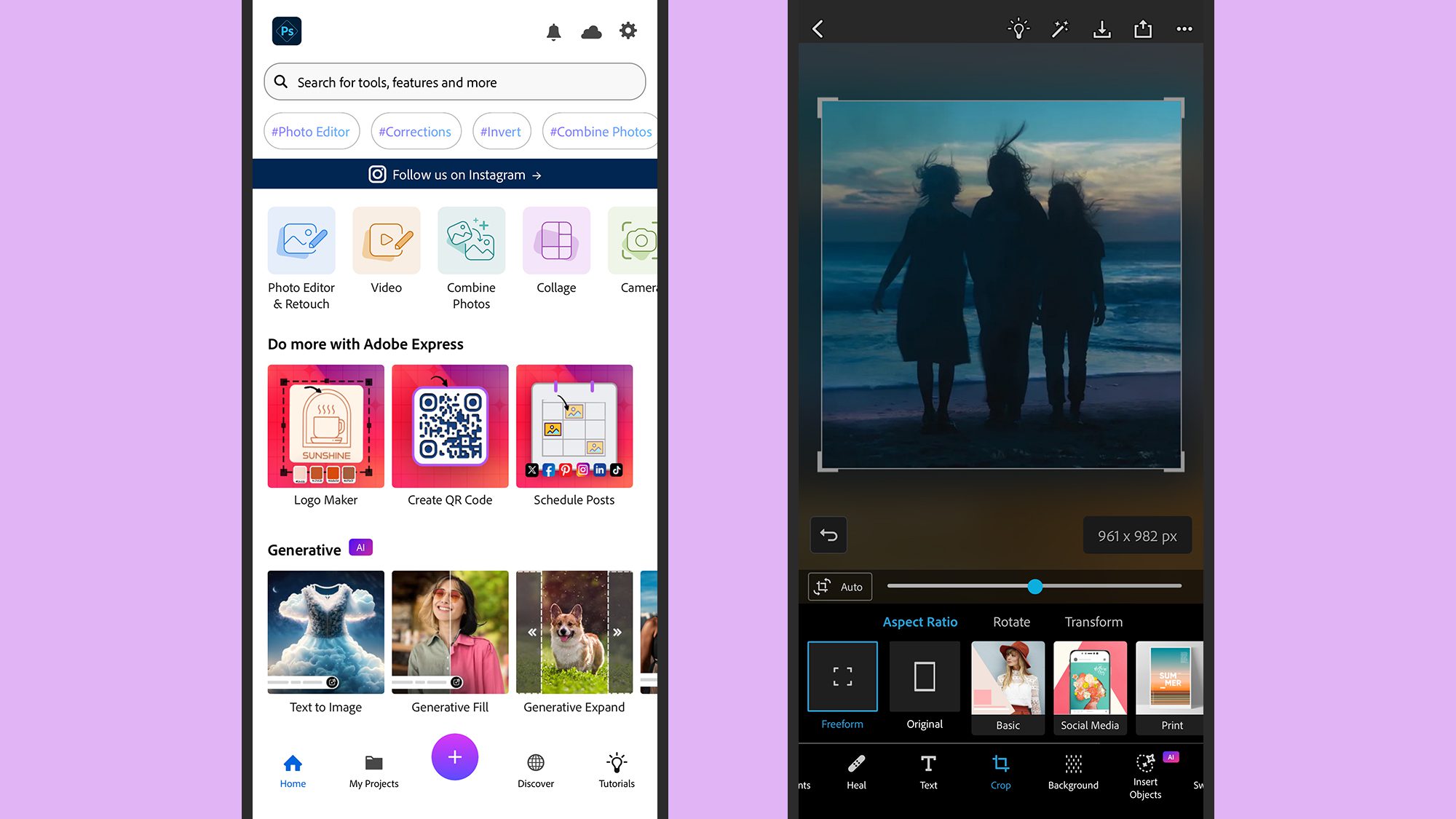
Photoshop Express delivers spot healing, filters, and collage maker, with easy sharing options.
Review Score: 4.6/5 Reliable for fast retouches on the go.
Why Essential: Brings Adobe power in a simplified form.
Download: Google Play Store
These tools cover a range of editing needs. Pick based on your style for better results. For more reviews, visit appstuf.com.