

In today’s digital landscape, understanding your website’s traffic is crucial for optimizing performance, improving SEO, and driving growth. Whether you’re a blogger, small business owner, or marketer, analyzing traffic helps you see what’s working and what needs tweaking. This tutorial will walk you through the basics using popular tools like Google Analytics and others. No prior experience needed—we’ll keep it simple and actionable.
Step 1: Set Up Google Analytics
Start by creating a free Google Analytics account and adding your website. Go to analytics.google.com, sign in with your Google account, and follow the prompts to set up a property for your site. You’ll get a tracking code to insert into your website’s header (or use a plugin if you’re on WordPress). Once installed, data will start flowing in within 24 hours.
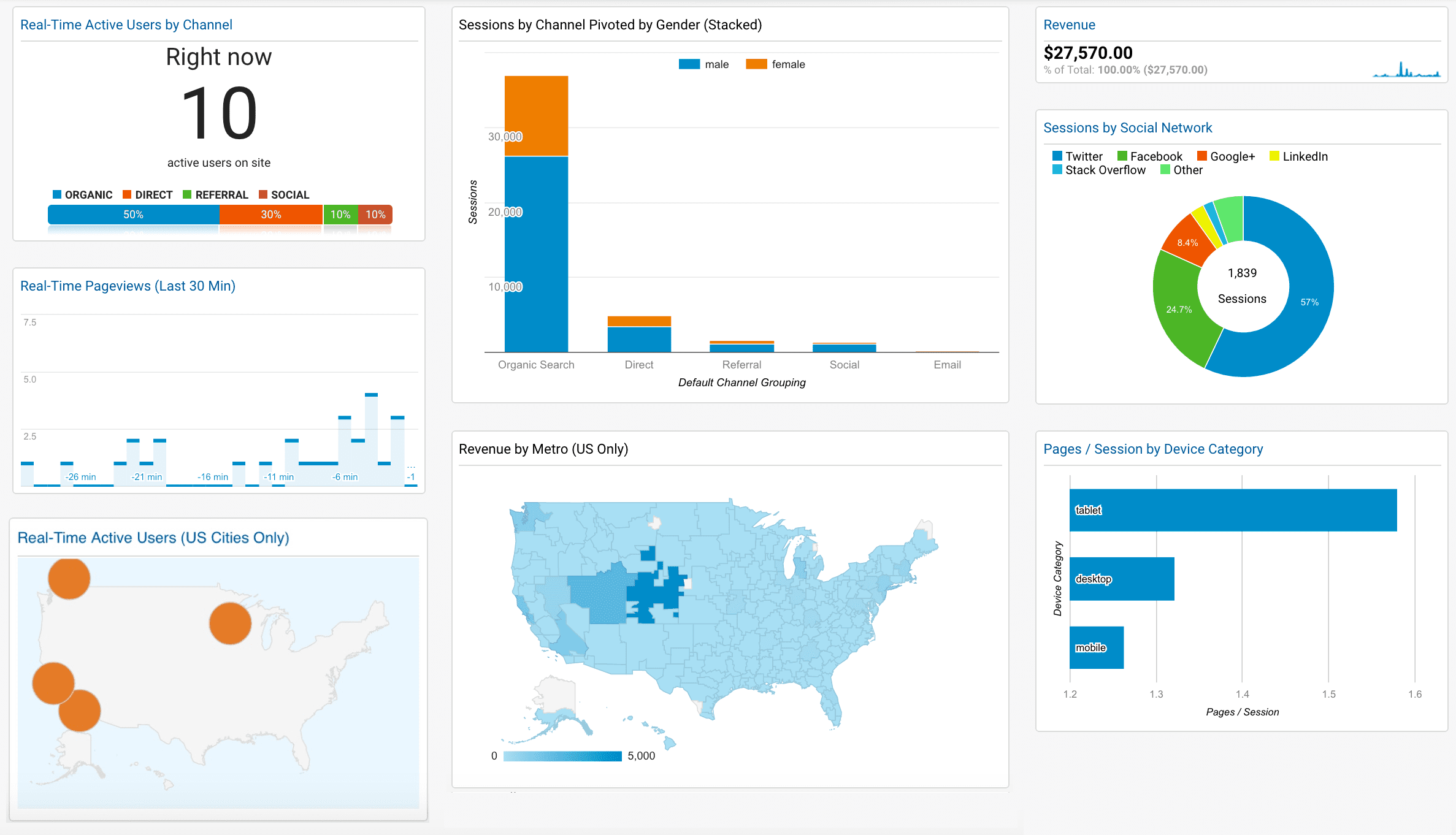
Visualize your setup with this dashboard overview:
Step 2: Identify Traffic Sources
Once data is collected, head to the “Acquisition” section in Google Analytics. Here, you’ll see where your visitors come from—organic search, social media, direct traffic, referrals, or paid ads. This breakdown helps you focus on high-performing channels.
Step 3: Monitor Key Metrics
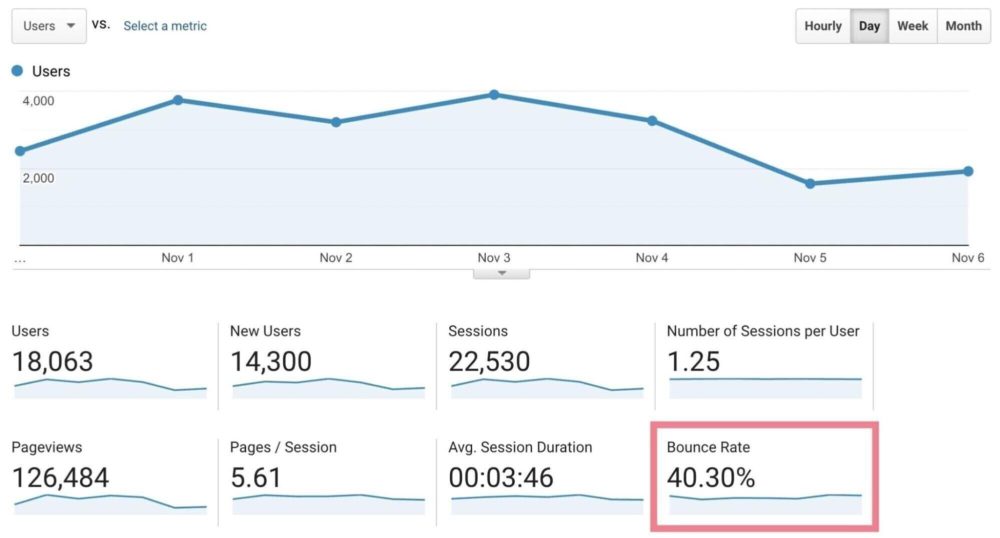
Key performance indicators (KPIs) like bounce rate (percentage of visitors who leave after one page), session duration, and pages per session tell you about user engagement. A high bounce rate might indicate irrelevant content or slow loading times. Aim for a bounce rate under 50% for most sites.
Here’s a graph illustrating bounce rate and session duration:
Step 4: Dive Deeper with SEO Tools like SEMrush
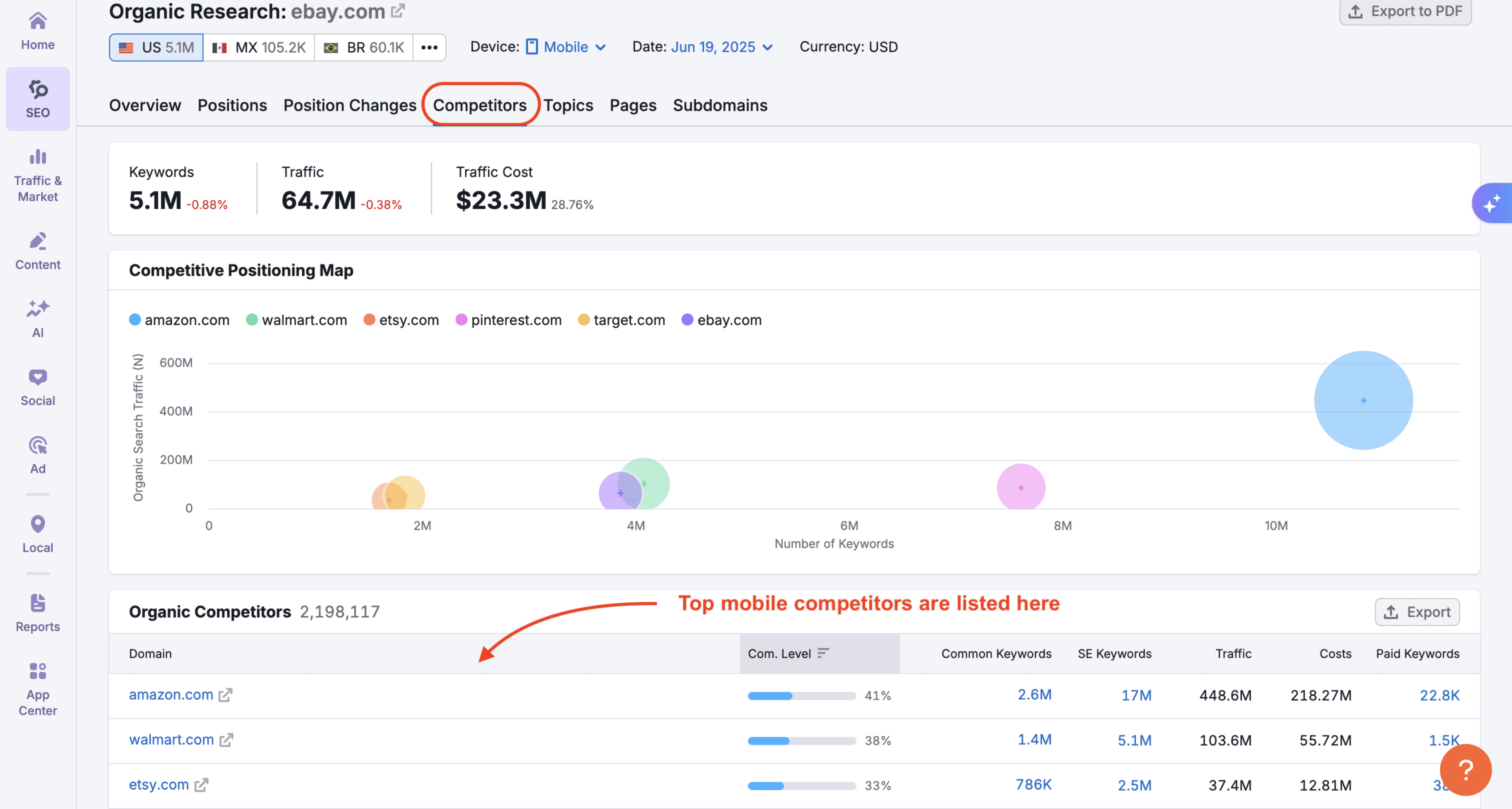
For more advanced insights, integrate tools like SEMrush. It provides keyword rankings, competitor analysis, and backlink data. Sign up for a free trial, connect your site, and explore the “Organic Research” tab to see how search engines view your content.
See what the SEMrush interface looks like:
Step 5: Enable Real-Time Monitoring
To catch issues as they happen, use real-time reports in Google Analytics or apps like Hotjar for heatmaps and session recordings. This lets you see live visitor behavior, helping you respond quickly to traffic spikes or drops.
Final Tips and Best Practices
- Regularly review your data—set weekly check-ins.
- Use mobile apps for on-the-go monitoring (Google Analytics has a great one).
- Combine tools for a full picture: Analytics for basics, SEMrush for SEO depth.
- Remember, traffic analysis is iterative; test changes and measure results.
By following these steps, you’ll gain valuable insights to boost your website’s performance. For more tutorials on apps and tools, explore Appstuf’s [Tutorials] section!